One minute for your body.
Then back to work.
DeskReps sits in your menu bar and taps you every 45 minutes. A short neck, eye or shoulder routine, guided out loud and counted by your camera.
Free · macOS 14+ and iPhone · No account
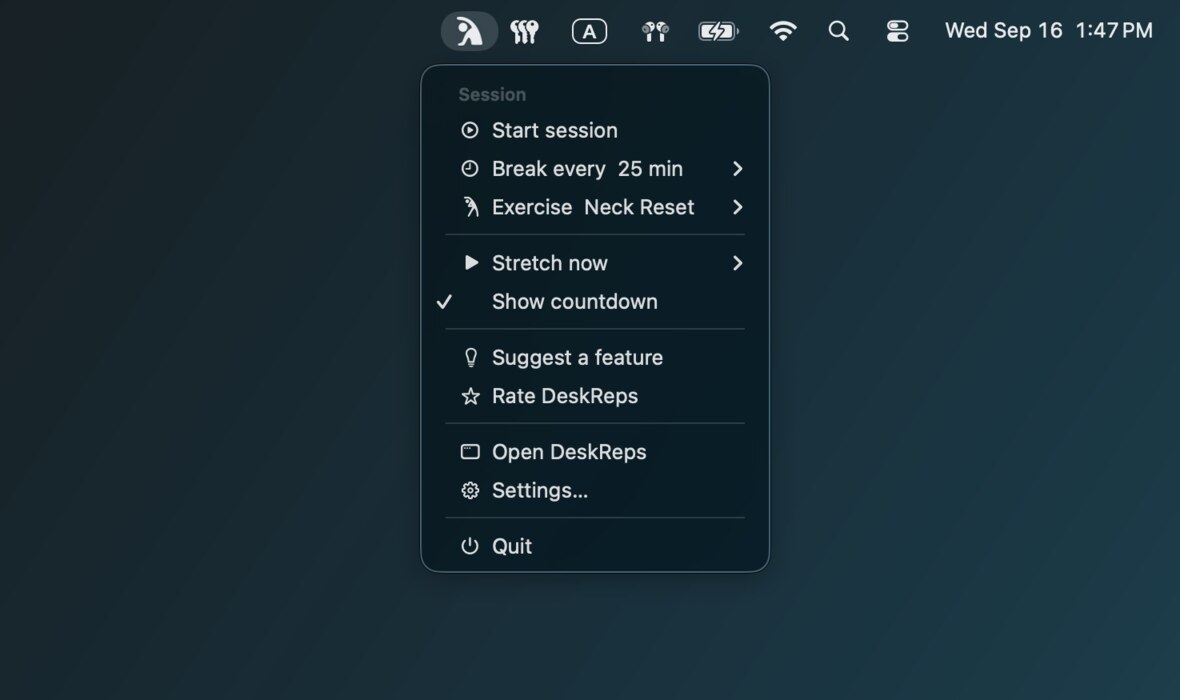
Three screens, and you've seen the loop
A countdown you ignore, a minute you don't, and a list for when you want something else.
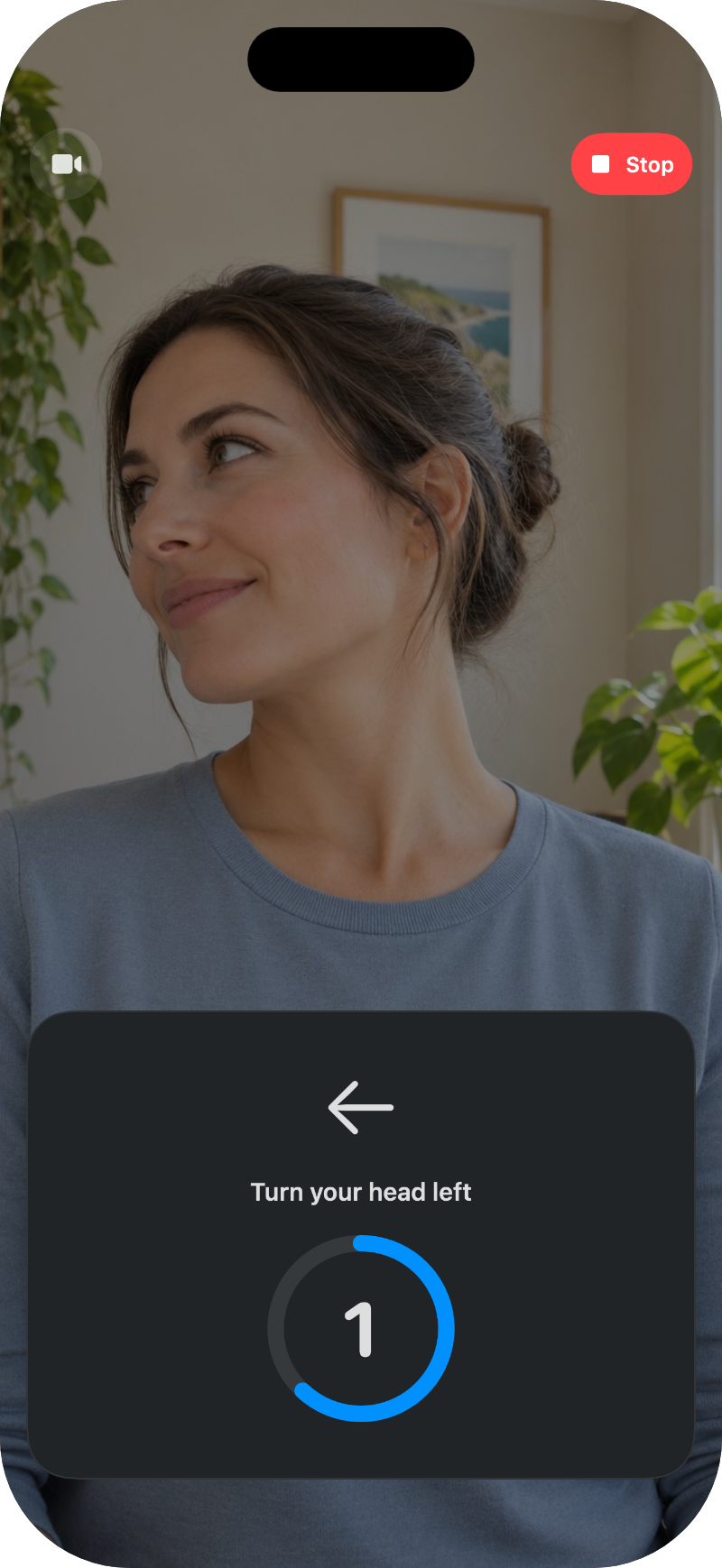
The ring fills as you move
A voice calls the movement and the camera keeps the count. Turn left, turn right, and the ring closes. No tapping, no counting in your head, no way to skip the reps.
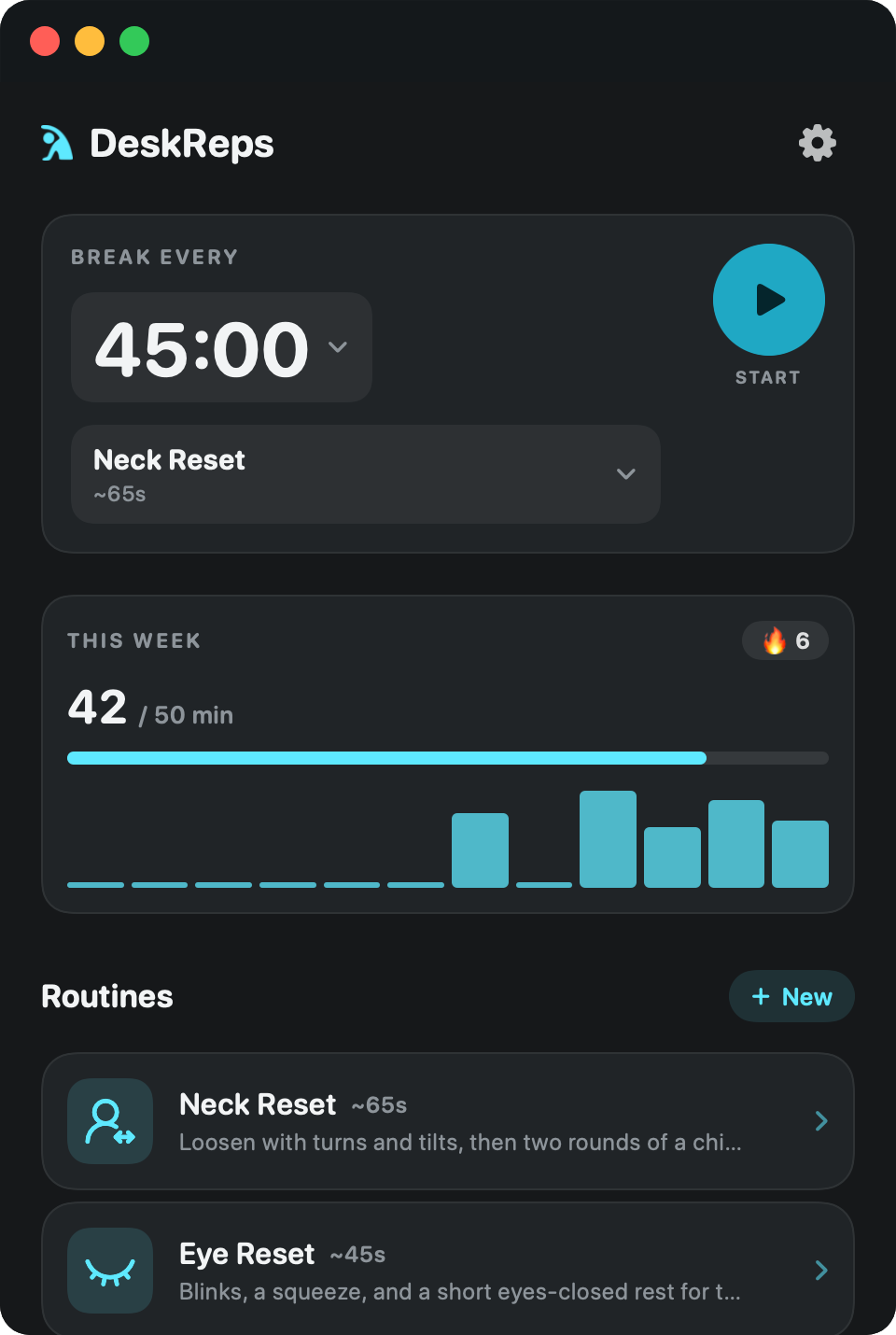
Pick something else in one tap
Your usual routine sits at the top, ready to start. Underneath are the rest of them: neck, eyes, shoulders, and the mixed one that starts up close and finishes sitting back.
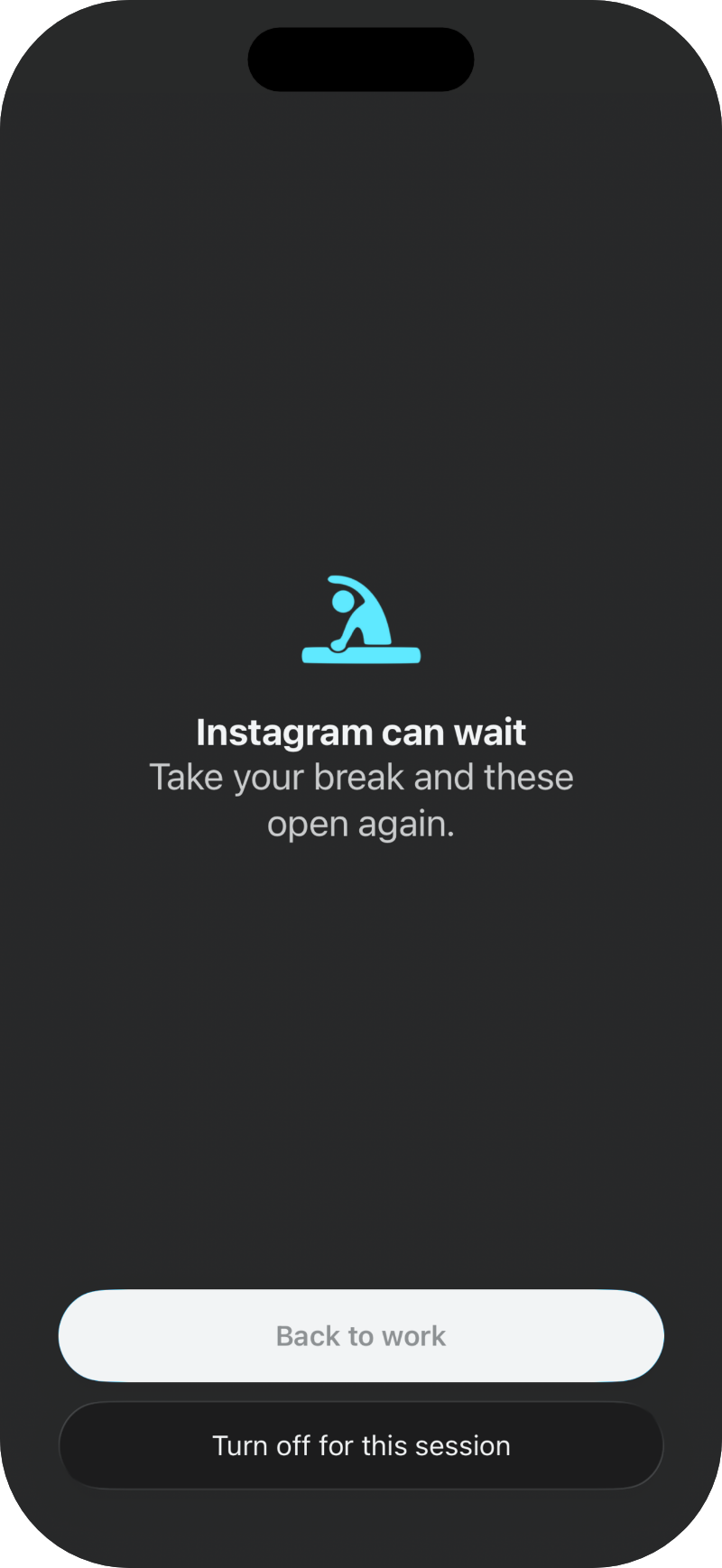
Block the apps you'd reach for instead
Choose the ones that eat the hour and DeskReps shuts them while a work session runs, through Apple's Screen Time. Taking your break opens them again, which is the whole deal: a minute of moving buys the scroll back. Part of DeskReps Plus.
Small enough to fit between two things
No mat, no change of clothes, no one wondering what you're doing at your desk.
It picks the moment
Start a work session and DeskReps counts down quietly. It only interrupts while you're actually working, not at dinner and not on a Sunday.
It talks you through it
A calm voice calls the movement: turn, tilt, tuck, blink, shrug. You never have to read the screen mid-stretch.
It counts the reps
Your camera watches on-device and fills the ring as each rep lands. Nothing to log, and nothing to fake.
A reminder takes your word for it
You get a notification, you tap "done", and your neck is exactly as stiff as it was. DeskReps closes that gap. The ring only fills when your body moves.
Five ways to spend a minute
Pick a favourite, or choose something different at the start of any break.
Neck Reset
Loosen with turns and tilts, then two rounds of a chin-tuck hold.
Eye Reset
Blinks, a squeeze, and a short eyes-closed rest for tired eyes.
Shoulder Reset
Shrugs, overhead reaches, and a chest hug to release tight shoulders.
Head + Shoulders
Neck turns, tilts, and a chin-tuck hold, then sit back for shrugs, reaches, and a chest hug.
Quick Desk Reset
Blinks, a couple of neck turns, and shrugs. The short one.
Camera frames never leave your desk
Nothing is uploaded
Frames pass through Apple's Vision framework on your own machine and are thrown away immediately. They are never uploaded, to us or to anyone.
No account
Your history syncs through your own iCloud, where only you can read it. Download it, allow the camera, start stretching.
On only when you are
The camera runs for the length of the routine, usually under a minute, then switches off.
Your neck has been waiting all day
Give it a minute. DeskReps will handle the remembering and the counting.
Free · macOS 14+ and iPhone